
Download Keyboard Maestro – Powerful Mac Automation, Free Trial, Secure Updates
Introduction: Why Keyboard Shortcuts Matter and How Keyboard Maestro Changes the Game
In today’s fast‑paced digital environment, a well‑crafted keyboard shortcut can be the difference between a smooth workflow and a frustrating bottleneck. Mac users have long enjoyed native shortcuts, but the built‑in options cover only the most common actions. That’s where Keyboard Maestro steps in. This macOS‑only automation tool lets you design custom shortcuts—called macros—that can launch apps, manipulate windows, control the clipboard, and even execute complex conditional logic. Whether you’re a beginner looking for a simple “press ⌘ + Shift + N to open Notes” shortcut, or a power user who wants to build multi‑step macros that interact with web services, Keyboard Maestro delivers a secure, regularly updated solution that scales with your needs.
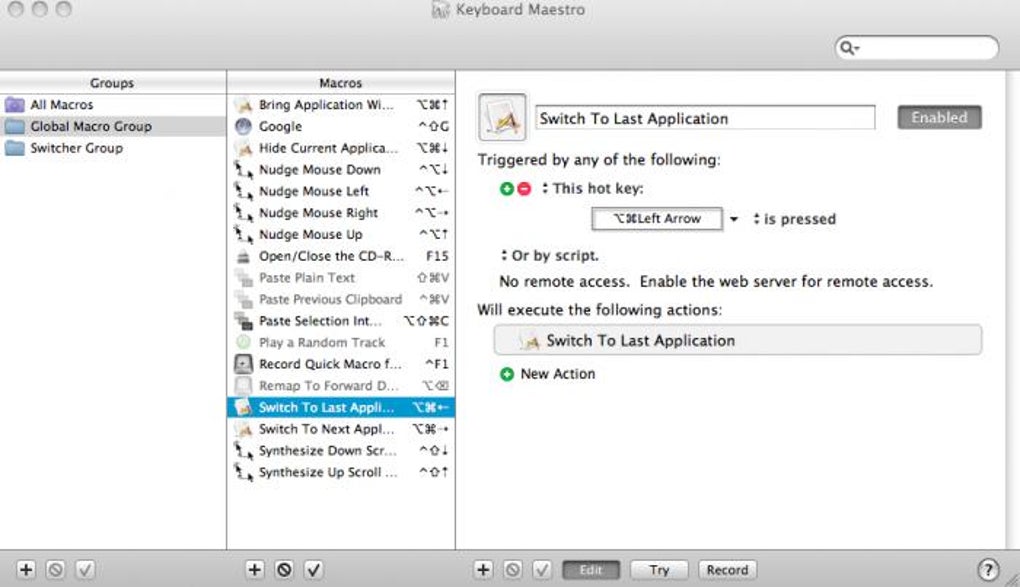
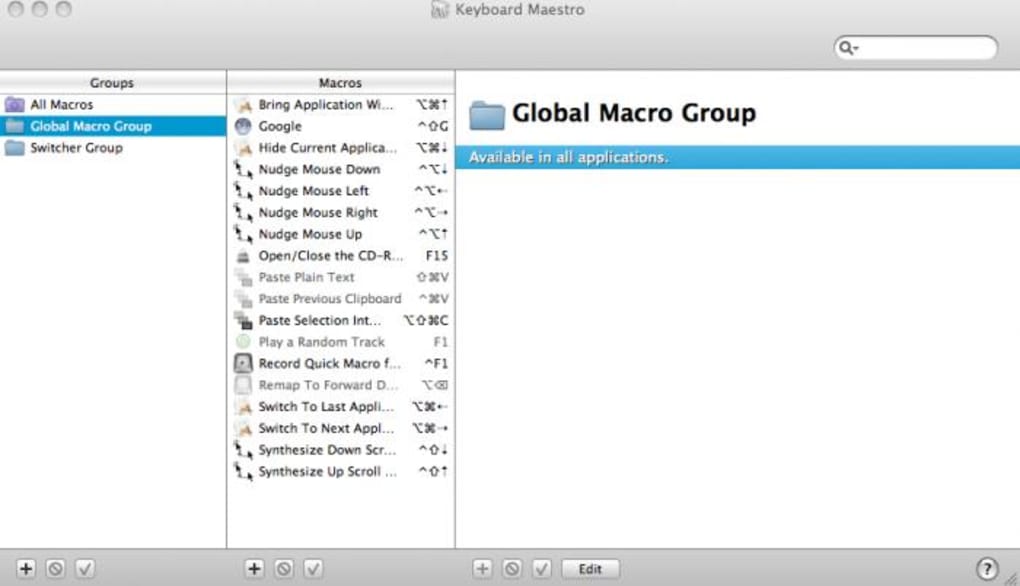
The appeal of Keyboard Maestro lies in its balance between accessibility and depth. The moment you launch the app, you’ll see a library of pre‑configured macros that demonstrate what’s possible—nudging the mouse, switching to the previous application, or launching a favorite website with a single keystroke. Adding your own macro is as easy as clicking the “+” button, hitting “Record,” and performing the actions you want to automate. The software then binds those actions to the key combination you chose, creating a repeatable workflow that lives in the background, ready to fire whenever you need it.
Since its first release, Keyboard Maestro has earned a reputation for reliability, thanks to consistent updates that support the latest macOS releases (including Apple Silicon) and added features like a built‑in web server for remote control from an iPhone. In the sections that follow, we’ll explore the core features, walk through installation and usage, discuss compatibility, weigh the pros and cons, and answer the most common questions users have before they download the app.
Feature Deep Dive: What Keyboard Maestro Can Do for You
- Macro Library & Ready‑Made Templates – Access a curated collection of pre‑built macros for common tasks such as window management, clipboard handling, and application launching.
- Advanced Control Flow – Build sophisticated logic with If/Then/Else, While, Until, Repeat, and Pause Until statements, allowing macros to react to system conditions and user input.
- Variables & Calculations – Store permanent or temporary data, perform arithmetic, and use functions to tailor macro behavior dynamically.
- Enhanced Application & Window Switchers – Replace the default Cmd‑Tab switcher with a Cover Flow view, force‑quit options, and deep window sorting for faster navigation.
- Clipboard History with Favorites – Capture every copy action, preview items with Quick Look, and push clipboard contents to another Mac on the same network.
- Undo/Redo Support – Safely experiment with macro actions, knowing you can revert changes if needed.
- Application Launcher & Script Runner – Launch apps, run shell scripts, AppleScripts, or JavaScript for Automation directly from a shortcut.
- Remote Control via Web Server – Trigger macros from any web‑enabled device, including an iPhone or iPad, using a secure local web interface.
- Multi‑Device Clipboard Sync – Seamlessly share clipboard items between your Mac and other macOS devices on the same network.
- Customizable UI Themes – Choose from light, dark, or system‑matched themes to keep the interface comfortable during long editing sessions.
Each feature is designed to be modular, meaning you can start with a single macro and gradually layer additional capabilities as your workflow evolves. For example, a simple “Paste as Plain Text” macro can later be expanded with a conditional check that only triggers when a specific app is active, or it can be combined with a variable that logs each paste event for later analysis.
The developer also keeps the macro library up to date with community contributions, ensuring that emerging needs—like automating new macOS privacy prompts or integrating with popular cloud services—are quickly addressed. Because Keyboard Maestro is a native macOS app, it enjoys tight integration with system APIs, delivering faster execution than many third‑party scripting tools.
In short, Keyboard Maestro is not just a shortcut manager; it is a full‑featured automation platform that empowers users to replace repetitive mouse clicks, streamline file organization, and even orchestrate cross‑application workflows—all without leaving the keyboard.
Installation, Usage, and Compatibility: Getting Started on macOS
Step‑by‑Step Installation
1. Download the installer from the official Keyboard Maestro website. The download is secured with HTTPS and includes a digital signature to verify authenticity.
2. Open the .dmg file and drag the Keyboard Maestro icon into your Applications folder. macOS will prompt you to confirm the move; click “Copy.”
3. Launch the app for the first time. macOS may ask for permission to control your computer; this is required for the automation features to work.
Grant access in System Preferences → Security & Privacy → Accessibility.
4. Enter your license key if you purchased the full version, or start the 30‑day free trial to explore all features without limitation.
Basic Usage Workflow
After installation, the main window displays the Macro Library on the left and a detailed editor on the right. To create a new macro, click the “+” button, give it a descriptive name, and assign a trigger—such as a keyboard shortcut, a specific application becoming active, or a time‑based schedule. Press the “Record” button, perform the actions you want to automate, and stop recording. The recorded steps appear as individual actions that you can reorder, edit, or delete.
For more complex macros, you can insert control flow actions (If/Then/Else) from the “Actions” pane, define variables using the “Set Variable” action, and add calculations with the built‑in math functions. The editor also offers a “Test” mode, allowing you to run the macro in a sandboxed environment before committing it to daily use.
Operating System Support
Keyboard Maestro requires macOS 10.15 (Catalina) or later and runs natively on both Intel and Apple Silicon Macs. The app automatically detects the processor architecture and loads the appropriate binary, ensuring optimal performance on the latest M1/M2 chips. While the software is exclusively for macOS, its web‑server component can be accessed from any device with a modern browser, making it possible to trigger macros from iOS, Android, or even Windows machines on the same network.
Pros and Cons
- Pros
- Extremely flexible—suitable for beginners and power users alike.
- Native macOS integration guarantees fast, reliable execution.
- Robust community and regular updates keep the feature set fresh.
- Secure trial version lets you evaluate the full capabilities before purchasing.
- Remote web server adds a unique cross‑device control dimension.
- Cons
- Only available for macOS; Windows or Linux users need alternative tools.
- The learning curve for advanced control flow can be steep for non‑technical users.
- One‑time purchase price may be higher than some free competitors.
Frequently Asked Questions (FAQ)
Is there a free version of Keyboard Maestro?
Keyboard Maestro offers a 30‑day free trial that unlocks all features. After the trial, you need to purchase a license (single‑user or family pack) to continue using the software.
Can Keyboard Maestro run on Apple Silicon Macs?
Yes. The latest version includes native Apple Silicon support, delivering the same performance as on Intel Macs.
How secure is the remote web‑server feature?
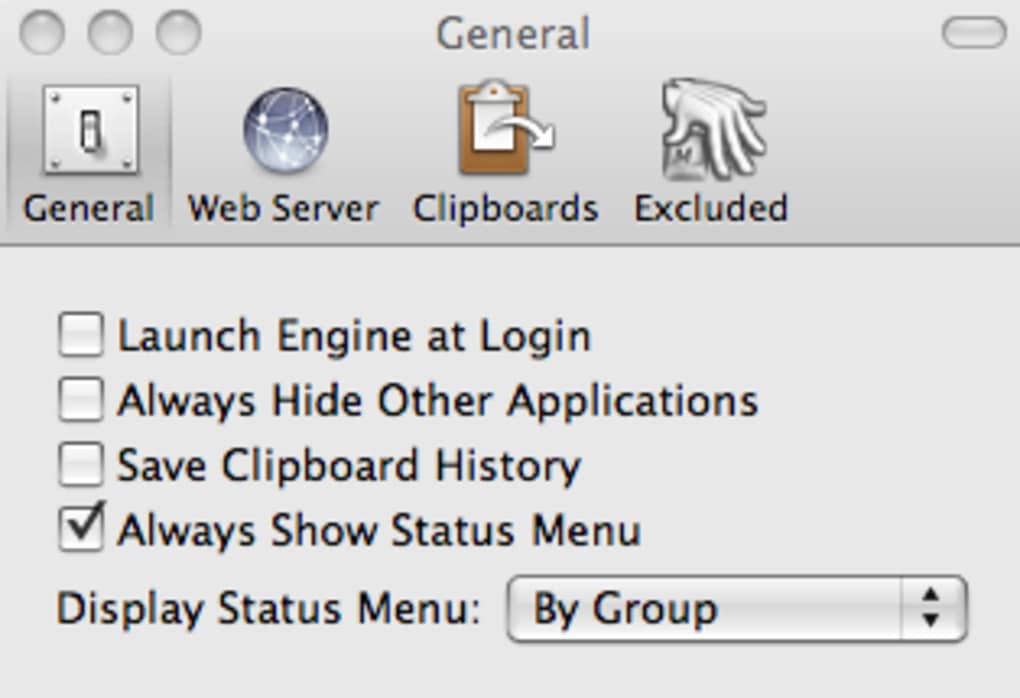
The web server runs only on your local network and uses a randomly generated token for authentication. You can enable or disable it at any time in the Preferences panel.
Can I sync macros between multiple Macs?
Yes. Keyboard Maestro stores macros in a folder that can be synced via iCloud Drive, Dropbox, or any other cloud service, allowing you to keep the same automation set on all your Macs.
Does Keyboard Maestro work with third‑party apps like Adobe Photoshop or Microsoft Office?
Absolutely. Because macros can simulate keystrokes, mouse clicks, and menu selections, you can automate virtually any application that responds to standard UI events, including Photoshop, Office, and many developer tools.
Conclusion: Is Keyboard Maestro the Right Automation Tool for You?
Keyboard Maestro stands out as one of the most powerful, yet approachable, automation solutions on macOS. Its extensive feature set—from simple keyboard shortcuts to multi‑step conditional macros—covers the entire spectrum of user needs. The secure, free trial lets you explore advanced capabilities without commitment, while the one‑time purchase model (no recurring fees) provides long‑term value. If you spend a significant amount of time navigating between apps, copying data, or performing repetitive tasks, investing in Keyboard Maestro can translate into hours saved each week.
The only notable limitation is its macOS‑only availability, which means Windows or Linux users will need to look elsewhere. However, for Mac enthusiasts, the combination of native performance, regular updates, and a thriving community makes Keyboard Maestro a worthwhile addition to any productivity toolkit.
Ready to streamline your workflow? Download Keyboard Maestro now, start the free trial, and discover how a few well‑crafted macros can transform the way you work on your Mac.







